Aaron Connolly
Building a Chromatic Tuner with Claude - Part 1
An Encouragement
If you have not tried using a AI coding assistant to build something, the time is now. Rather than scrolling endlessly or practicing LeetCode, can I encourage you to try building or learning something new today? For less than the cost of two Chipotle burritos (with guac!) you can take that idea you have and and bring it to life or ramp up on that skill/domain you’ve always wondered about.
My son received a guitar for Christmas and it often goes out of tune. We have an analog chromatic tuner to keep it sounding nice, but since it is clunky and good for only one thing it is tucked away some place I can’t remember.
While looking for it, I wondered what it might take to make a tuner app for iOS app with Claude Code?
As it turns out, not very much.
Tuning and Fast Fourier Transforms
🗒️ Note: Sound analysis is a heavily studied domain. There is much that can be said here, but I am not an expert.
“Tuning an instrucent is the process of adjusting the pitch of one or many tones from the instrument to establish known typical between those tones. Tuning is usually based on a fixed reference, such as A == 440 Hz.”
Have you ever noticed at the beginning of an orchestra performance the musicians all “tune up”? They’re all aligning the frequency the “A” chord to 440hz.
An an analog tuner looks like this:
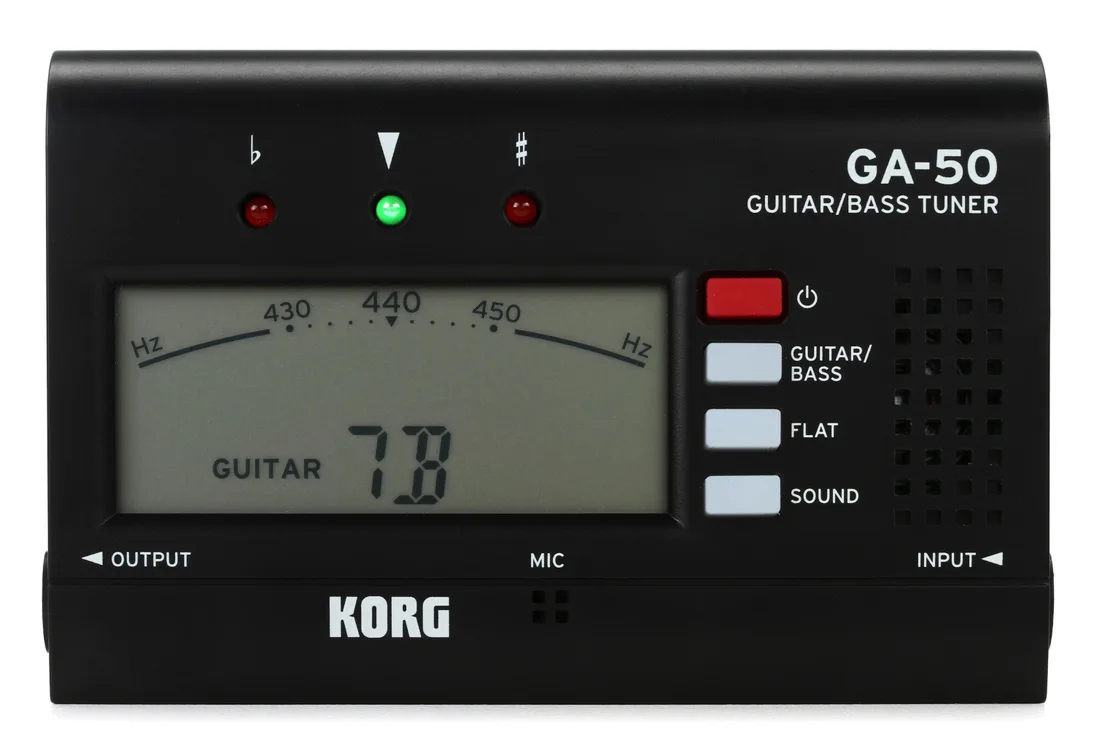
A tuner works by receiving sound waves through a micrphone, measuring their frequency and then mapping the frequency to a chord. The interface tells you how flat (-hz) or sharp (+hz) that frequency is off some well known interval. Then, if detected the tuner will show you the name of the chord.
Goal
Using Claude, I aim to build a version of this. With little to no code editing of my own. I wrote the following prompt:
Let’s build an iOS app that listens to the user making a sound on a musical instrument, such as a guitar and determines what Chord (A, B, C, D, etc…) is being played. It shows the chord it found and all the relevant audio data on the screen for the moment the user is recording Audio. This app is for reference purposes and should be simple to use. It should use SwiftUI and good abstractions for Dependencies. Let’s start with a plan to guide how this app will work. When you are done, we should be able to start the app, play a chord on a guitar and see the correct chord displayed on the app.
Result
I built and ran the app in the simulator, accepted the audio permissions and played an E chord on my guitar:
What came out of the box worked, mostly. It gave me the following:
- Clean UI with correct understanding of recording/not recording.
- Histogram showing the audio buffer and each bin’s frequency.
- When a frequency roughly matches a known chord it is highlighted.
- When an exact chord was detected it showed that chord.
Like me it’s not perfect but in a few minutes I’m nearly there.
Technical High-Level Summary
When the record button is tapped buffered audio data is sent through a Fast Fourier Transform (FFT) to convert it to a spectrum of frequencies. Frequencies are analyzed to determine “peaks”. Peaks are estimated as muscal pitches. Frequencies within the musical range are kept and others are discarded. Peaks are then mapped to a chromagram which provides a rough mapping of which cord is represented by the frequency C, C#, D and so on.
Claude understood all of this and from my estimation produced pretty reasonable code. With some more testing and instrumenting 🥁 this is looking promising.
Time: ~10min
Dollars: $20
Where to go from here?
From this base I can easily tweak anything I want like changing the frequency visualization and add +/- guage to really see how much a tone is off. There are also a few bugs to fix 😃
But that’s for next time.